背景
- 近期公司进行资产盘点,需要协助统计网络中交换机的所有光模块,所以有了此脚本
需求
- 网内主要使用的设备是华三和华为设备,需要统计这两种设备的端口光模块
- 主要采集的信息有

准备环境
- Python3.12.0
- 第三方库
- netmiko 连接交换机执行命令
- re 正则表达式,来筛选信息
- openpyx 读取和写入Excel
- contextlib 读取和写入文件,当然,它不只有这个功能
- 第三方库
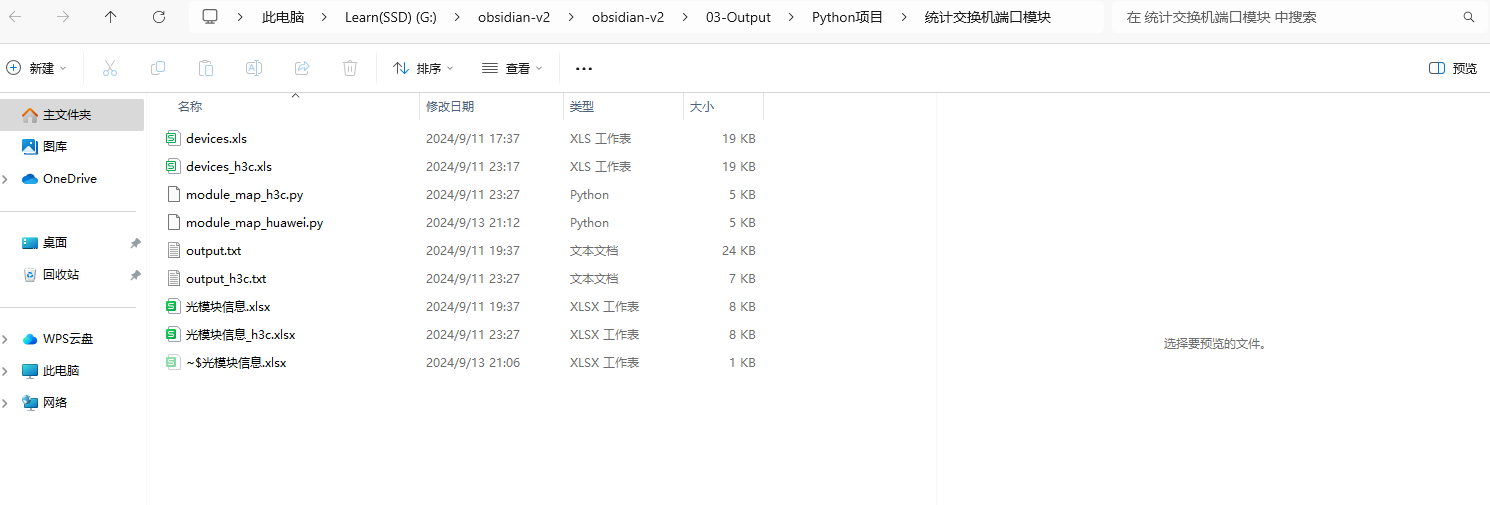
- 目录结构如下(其实都在根目录~~~)
主要思路整理
-
将设备名称和IP信息写入到一个Excel表格中,然后遍历这个表格到字典
- 表格内容如下
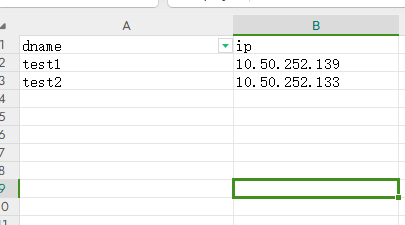
- 表格内容如下
-
使用for循环去轮流操作这些设备
-
使用Netmiko模块来连接设备,并将光模块信息输出到文件里面
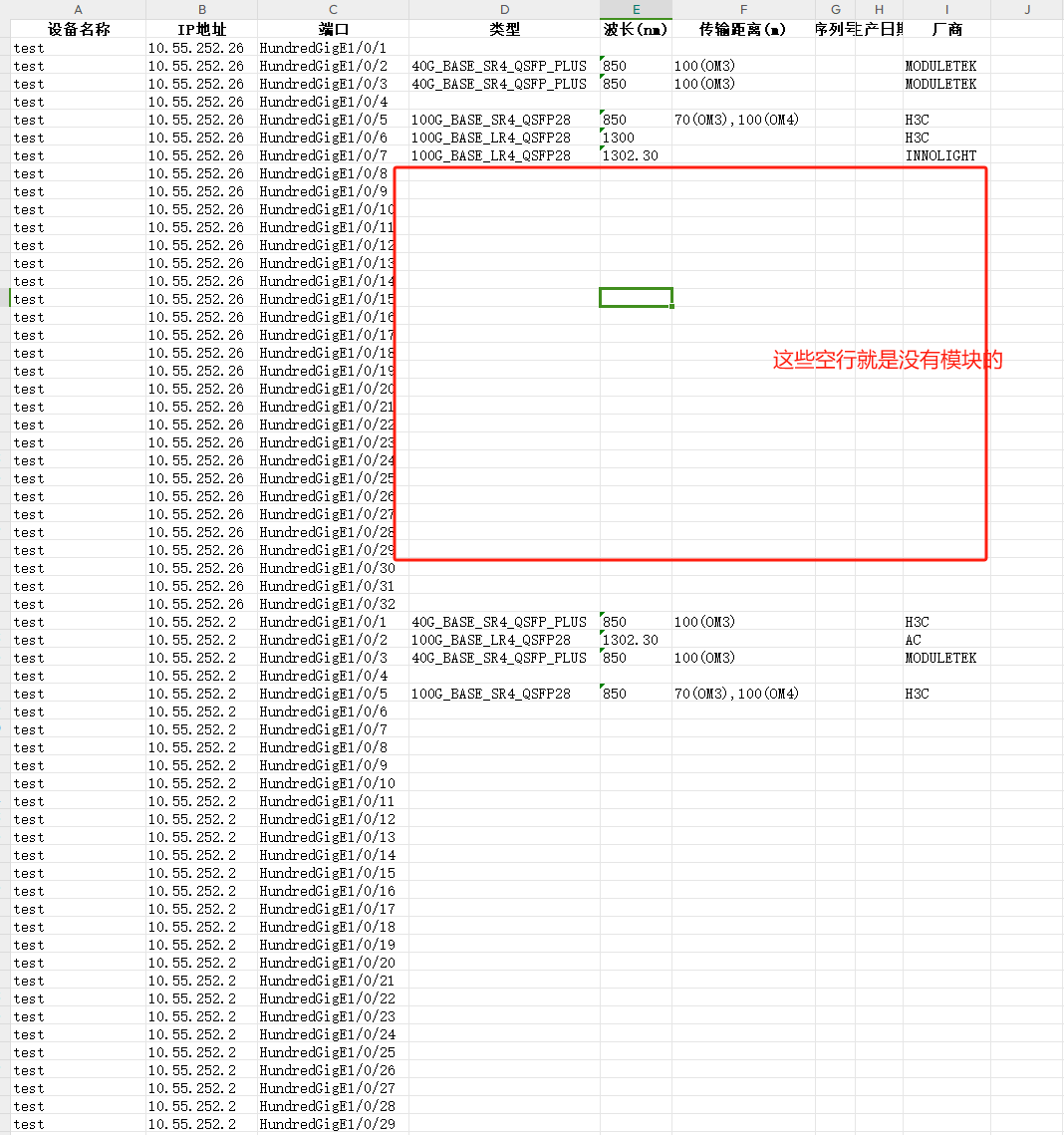
- 其中输出光模块信息的命令,华为有命令直接输出有模块的端口,而华三会将有模块和没模块的都生成出来,所以这些信息自己还得修改下,不过也很简单,删除空行就行了
- H3C看光模块Sn的命令也是另外的命令,所以H3C采集不到Sn信息
- 华为获取有光模块的端口以及端口信息
dis transceiver | after 5 include information - 华三获取光模块信息
dis transceiver interface | exclude ab
-
使用正则表达式来筛选信息,写入到表格里面
脚本实现
使用AI生成,笔者只是稍加修改
华为
from contextlib import redirect_stdout
from netmiko import ConnectHandler
import re
import openpyxl
from openpyxl.styles import Font, Alignment

def output_txt():

    # 读取设备信息表格
    device_info = pd.read_excel('devices.xls')

    # 定义交换机连接信息的模板
    connection_params = {
        'device_type': 'huawei',
        'username': 'test',  # 替换为您的用户名
        'password': '123',  # 替换为您的密码
    }

    # 用于存储结果的列表
    results = []

    # 遍历设备信息并获取光模块信息
    for index, row in device_info.iterrows():
        dname = row['dname']
        ip = row['ip']

        # 更新连接参数中的IP地址
        connection_params['host'] = ip

        try:
            # 建立与交换机的连接
            connection = ConnectHandler(**connection_params)

            # 执行命令以获取光模块信息
            command = 'dis transceiver  | after 5 include information'
            output = connection.send_command(command)
            file = open('output.txt', 'a', encoding='utf-8')
            with redirect_stdout(file):
                print(f"Output from {dname} ({ip}):\n{output}\n")
            file.close()

        except Exception as e:
            print(f"连接到 {dname} ({ip}) 失败: {e}")

        finally:
            # 确保断开连接
            try:
                connection.disconnect()
            except:
                pass


def parse_transceiver_info(output):
    results = []
    device_name = ""
    ip_address = ""

    for line in output.split('\n'):
        if line.startswith("Output from"):
            match = re.search(r"Output from (\S+) \((\S+)\):", line)
            if match:
                device_name = match.group(1)
                ip_address = match.group(2)
        elif "transceiver information:" in line:
            port = line.split()[0]
            info = {"设备名称": device_name, "IP地址": ip_address, "端口": port}
            results.append(info)
        elif ":" in line:
            key, value = line.split(":", 1)
            key = key.strip()
            value = value.strip()
            if key == "Transceiver Type":
                results[-1]["类型"] = value
            elif key == "Wavelength(nm)":
                results[-1]["波长(nm)"] = value
            elif key == "Transfer Distance(m)":
                results[-1]["传输距离(m)"] = value
            elif key == "Manu. Serial Number":
                results[-1]["序列号"] = value
            elif key == "Manufacturing Date":
                results[-1]["生产日期"] = value
            elif key == "Vendor Name":
                results[-1]["厂商"] = value

    return results

def export_to_excel(data, filename):
    wb = openpyxl.Workbook()
    ws = wb.active
    ws.title = "光模块信息"

    headers = ["设备名称", "IP地址", "端口", "类型", "波长(nm)", "传输距离(m)", "序列号", "生产日期", "厂商"]
    for col, header in enumerate(headers, start=1):
        cell = ws.cell(row=1, column=col, value=header)
        cell.font = Font(bold=True)
        cell.alignment = Alignment(horizontal='center')

    for row, item in enumerate(data, start=2):
        for col, key in enumerate(headers, start=1):
            ws.cell(row=row, column=col, value=item.get(key, ""))

    for column in ws.columns:
        max_length = 0
        column_letter = column[0].column_letter
        for cell in column:
            try:
                if len(str(cell.value)) > max_length:
                    max_length = len(cell.value)
            except:
                pass
        adjusted_width = (max_length + 2)
        ws.column_dimensions[column_letter].width = adjusted_width

    wb.save(filename)

# 主程序
if __name__ == "__main__":
    output_txt()
    with open("output.txt", "r", encoding="utf-8") as file:
        output = file.read()

    transceiver_info = parse_transceiver_info(output)
    export_to_excel(transceiver_info, "光模块信息.xlsx")
    print("光模块信息已成功导出到光模块信息.xlsx")
H3C
import sys
from contextlib import redirect_stdout
import pandas as pd
from netmiko import ConnectHandler
import re
import openpyxl
from openpyxl.styles import Font, Alignment

def output_txt():

    # 读取设备信息表格
    device_info = pd.read_excel('devices_h3c.xls')

    # 定义交换机连接信息的模板
    connection_params = {
        'device_type': 'hp_comware',
        'username': 'test',  # 替换为您的用户名
        'password': '123',  # 替换为您的密码
    }

    # 用于存储结果的列表
    results = []

    # 遍历设备信息并获取光模块信息
    for index, row in device_info.iterrows():
        dname = row['dname']
        ip = row['ip']

        # 更新连接参数中的IP地址
        connection_params['host'] = ip

        try:
            # 建立与交换机的连接
            connection = ConnectHandler(**connection_params)

            # 执行命令以获取光模块信息
            command = 'dis transceiver interface  | exclude ab'
            output = connection.send_command_timing(command, delay_factor=2)
            print(output)
            file = open('output_h3c.txt', 'a', encoding='utf-8')
            with redirect_stdout(file):
                print(f"Output from {dname} ({ip}):\n{output}\n")
            file.close()

        except Exception as e:
            print(f"连接到 {dname} ({ip}) 失败: {e}")

        finally:
            # 确保断开连接
            try:
                connection.disconnect()
            except:
                pass


def parse_transceiver_info(output):
    results = []
    device_name = ""
    ip_address = ""

    for line in output.split('\n'):
        if line.startswith("Output from"):
            match = re.search(r"Output from (\S+) \((\S+)\):", line)
            if match:
                device_name = match.group(1)
                ip_address = match.group(2)
        elif "transceiver information:" in line:
            port = line.split()[0]
            info = {"设备名称": device_name, "IP地址": ip_address, "端口": port}
            results.append(info)
        elif ":" in line:
            key, value = line.split(":", 1)
            key = key.strip()
            value = value.strip()
            if key == "Transceiver Type":
                results[-1]["类型"] = value
            elif key == "Wavelength(nm)":
                results[-1]["波长(nm)"] = value
            elif key == "Transfer Distance(m)":
                results[-1]["传输距离(m)"] = value
            elif key == "Manu. Serial Number":
                results[-1]["序列号"] = value
            elif key == "Manufacturing Date":
                results[-1]["生产日期"] = value
            elif key == "Vendor Name":
                results[-1]["厂商"] = value

    return results

def export_to_excel(data, filename):
    wb = openpyxl.Workbook()
    ws = wb.active
    ws.title = "光模块信息"

    headers = ["设备名称", "IP地址", "端口", "类型", "波长(nm)", "传输距离(m)", "序列号", "生产日期", "厂商"]
    for col, header in enumerate(headers, start=1):
        cell = ws.cell(row=1, column=col, value=header)
        cell.font = Font(bold=True)
        cell.alignment = Alignment(horizontal='center')

    for row, item in enumerate(data, start=2):
        for col, key in enumerate(headers, start=1):
            ws.cell(row=row, column=col, value=item.get(key, ""))

    for column in ws.columns:
        max_length = 0
        column_letter = column[0].column_letter
        for cell in column:
            try:
                if len(str(cell.value)) > max_length:
                    max_length = len(cell.value)
            except:
                pass
        adjusted_width = (max_length + 2)
        ws.column_dimensions[column_letter].width = adjusted_width

    wb.save(filename)

# 主程序
if __name__ == "__main__":
    output_txt()
    with open("output_h3c.txt", "r", encoding="utf-8") as file:
        output = file.read()

    transceiver_info = parse_transceiver_info(output)
    export_to_excel(transceiver_info, "光模块信息_h3c.xlsx")
    print("光模块信息已成功导出到光模块信息_h3c.xlsx")
统计出来的模块信息展示
华为
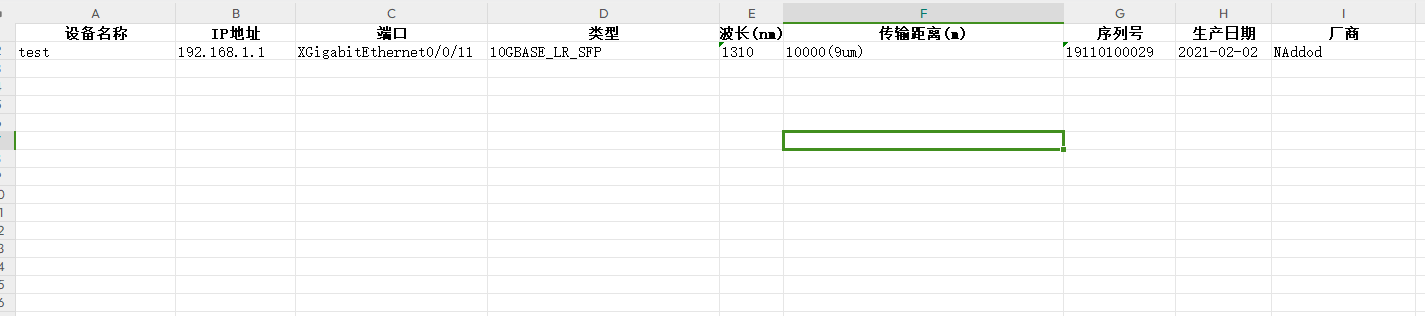
华三