前言
因为上次写的脚本,需要先将交换机输出的信息先保存至文件中,再使用正则表达式处理文本输出到表格中,能不能直接就将交换机输出的信息处理到表格,答案肯定是可以的,而且上次的脚本H3C设备没有模块SN的信息,也是一个漏洞,接下来,让我们来改进一下(当然,还是使用AI生成)
前期准备
- Python 第三方库
- netmiko 连接交换机
- re 正则表达式
- pandas 处理表格
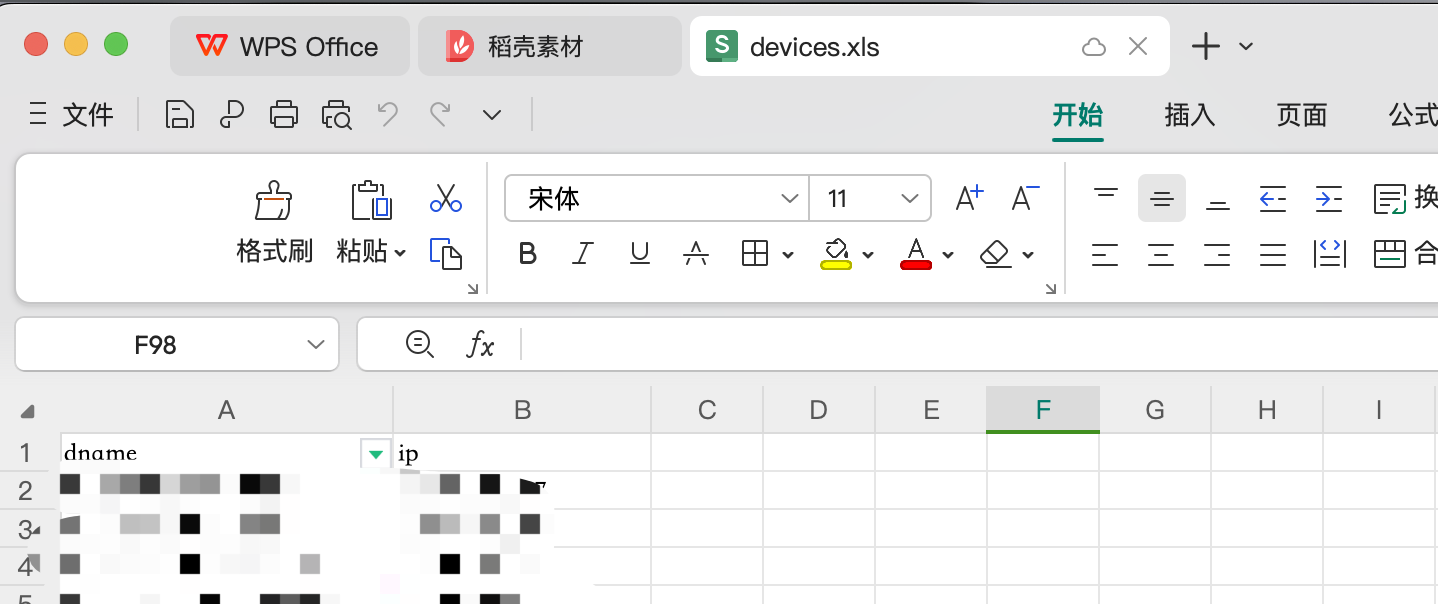
- Excel文件,放设备信息,需要两列,dname一列,ip一列
- devices.xls
- devices.xls
华为
import pandas as pd
from netmiko import ConnectHandler
import re

# 读取设备信息
device_info = pd.read_excel('devices.xls')  # 假设Excel文件名为devices.xlsx

# 创建一个空字典以存储结果
results = {}

for index, row in device_info.iterrows():
    device = {
        'device_type': 'huawei',  # 改为使用telnet连接华为设备huawei_telnet
        'ip': row['ip'],
        'username': 'username',
        'password': 'password',
        'port': 22,  # 改为telnet默认端口23
        'timeout': 30,
        'global_delay_factor': 3,
        'fast_cli': False,
        'session_log': 'netmiko_session.log'
    }

    try:
        # 连接到交换机
        client = ConnectHandler(**device)

        # 取消分页以获取完整输出
        client.send_command("screen-length 0 temporary")

        # 获取设备SN信息
        sn_command = 'dis device manufacture-info'
        sn_output = client.send_command(sn_command)
        sn_match = re.search(r'(\d+)\s+-\s+(\S+)', sn_output)
        device_sn = sn_match.group(2) if sn_match else '未找到序列号'

        # 获取端口模块信息
        port_command = 'dis transceiver'
        port_output = client.send_command(port_command, delay_factor=3)

        # 解析端口模块信息并拆分成行
        port_lines = port_output.splitlines()
        port_info_list = []

        current_port = None

        for line in port_lines:
            if "transceiver information" in line:
                if current_port is not None:
                    port_info_list.append(current_port)
                current_port = {'Port': line.split()[0]}
            elif "Transceiver Type" in line:
                current_port['Transceiver Type'] = line.split(":")[1].strip()
            elif "Vendor Name" in line:
                current_port['Vendor Name'] = line.split(":")[1].strip()
            elif "Manu. Serial Number" in line:
                current_port['Manu. Serial Number'] = line.split(":")[1].strip()
            elif "Transfer Distance(m)" in line:  # 添加此行以提取传输距离信息
                current_port['Transfer Distance(m)'] = line.split(":")[1].strip()

        if current_port is not None:
            port_info_list.append(current_port)

        # 将结果存储在字典中,以设备名为键
        results[row['dname']] = {
            'Device Serial Number': device_sn,
            'Port Info': pd.DataFrame(port_info_list)
        }

    except Exception as e:
        print(f"连接到 {row['dname']} ({row['ip']}) 时出错: {e}")

    finally:
        if 'client' in locals():
            client.disconnect()

# 保存结果到Excel文件,每个设备一个工作表
with pd.ExcelWriter('device_info_results.xlsx') as writer:
    for device_name, data in results.items():
        data['Port Info'].to_excel(writer, sheet_name=device_name, index=False)

print("设备信息已保存至 Excel 文件。")
H3C
华三的脚本是先采集端口模块的信息,再读取port信息为变量,采集模块SN
import pandas as pd
from netmiko import ConnectHandler

# 读取设备信息
device_info = pd.read_excel('devices_h3c.xls')  # 假设Excel文件名为devices.xlsx

# 创建一个空字典以存储结果
results = {}

for index, row in device_info.iterrows():
    device = {
        'device_type': 'hp_comware',
        'username': 'username',  # 替换为您的用户名
        'password': 'password',  # 替换为您的密码
        'ip': row['ip'],
        'port': 22,
        'timeout': 30,
        'global_delay_factor': 2,
        'fast_cli': False,
        'session_log': 'netmiko_session.log'
    }

    try:
        # 连接到交换机
        client = ConnectHandler(**device)

        # 取消分页以获取完整输出
        client.send_command("screen-length disable")

        # 获取端口模块信息
        port_command = 'dis transceiver interface'
        port_output = client.send_command(port_command)

        # 解析端口模块信息并拆分成行
        port_lines = port_output.splitlines()
        port_info_list = []

        current_port = None

        for line in port_lines:
            if "transceiver information" in line:
                if current_port is not None:
                    port_info_list.append(current_port)
                current_port = {'Port': line.split()[0]}
            elif "Transceiver Type" in line:
                current_port['Transceiver Type'] = line.split(":")[1].strip()
            elif "Connector Type" in line:
                current_port['Connector Type'] = line.split(":")[1].strip()
            elif "Wavelength(nm)" in line:
                current_port['Wavelength(nm)'] = line.split(":")[1].strip()
            elif "Transfer Distance(m)" in line:
                current_port['Transfer Distance(m)'] = line.split(":")[1].strip()
            elif "Transfer Distance(km)" in line:
                current_port['Transfer Distance(km)'] = line.split(":")[1].strip()
            elif "Vendor Name" in line:
                current_port['Vendor Name'] = line.split(":")[1].strip()
            elif "Ordering Name" in line:
                current_port['Ordering Name'] = line.split(":")[1].strip()

        if current_port is not None:
            port_info_list.append(current_port)

        # 获取制造序列号信息
        for port in port_info_list:
            if 'Transceiver Type' in port:  # 仅对有模块的端口查找SN
                sn_command = f'dis transceiver manuinfo interface {port["Port"]}'
                sn_output = client.send_command(sn_command)

                # 将整个输出结果添加到当前端口信息中
                port['Manufacture Info'] = sn_output

        # 将结果存储在字典中,以设备名为键
        results[row['dname']] = pd.DataFrame(port_info_list)

    except Exception as e:
        print(f"连接到 {row['dname']} ({row['ip']}) 时出错: {e}")

    finally:
        if 'client' in locals():
            client.disconnect()

# 保存结果到Excel文件,每个设备一个工作表
with pd.ExcelWriter('h3c_device_info_results.xlsx') as writer:
    for device_name, df in results.items():
        df.to_excel(writer, sheet_name=device_name, index=False)

print("H3C交换机模块信息及SN已保存至 Excel 文件。")
效果
华为
- 每一个交换机,单独一个sheet

H3C
- 和上面的逻辑一样,只不过H3C的会采集出来空端口
